Casino UX audit checklist: 20 pass-or-fail checks from landing to first deposit
iDesy runs UX audits for online casinos and sportsbooks that walk every flow from landing to withdrawal on desktop and mobile. This checklist gives you 20 checks you can run yourself, each with a pass or fail rule, so an operator can review the flow in-house before deciding whether to hire an agency.

Key takeaways
- The checklist has 20 pass-or-fail checks in five blocks: landing, sign-up, verification, cashier and bonus.
- Each check has a pass rule and a fail rule, so two reviewers reach the same result.
- Start on a phone as a new player, because the first deposit is decided there.
- Sign-up should ask for the minimum fields and confirm the next step clearly.
- Verification steps, withdrawal stages and bonus terms should be visible before a player commits money.
- Market rules change what a screen must show, so check them with a licence adviser before you change a flow.
What this casino UX audit checklist covers
The iDesy marketing audit walks every flow from landing to withdrawal on desktop and mobile, then compares it with three or four direct competitors. This checklist is the part an operator can run in-house: 20 checks in five blocks, from the landing page to the first deposit. Each check has a pass rule and a fail rule, so two reviewers reach the same result.
Landing: the first screen
- Offer above the fold. Pass: the offer from the ad is visible without scrolling on a 375-pixel phone. Fail: the player has to scroll or search for it.
- One primary action. Pass: one button leads to sign-up and it is the most visible element. Fail: two or more controls compete for the first tap.
- A game before the form. Pass: where local rules allow it, the player can open a demo or preview the lobby before registering. Fail: the form is the only way in.
- The first tap works while the page loads. Pass: the primary button responds on a slow mobile connection before every image has loaded. Fail: the button waits for scripts or media.
Sign-up: fields and the moment after
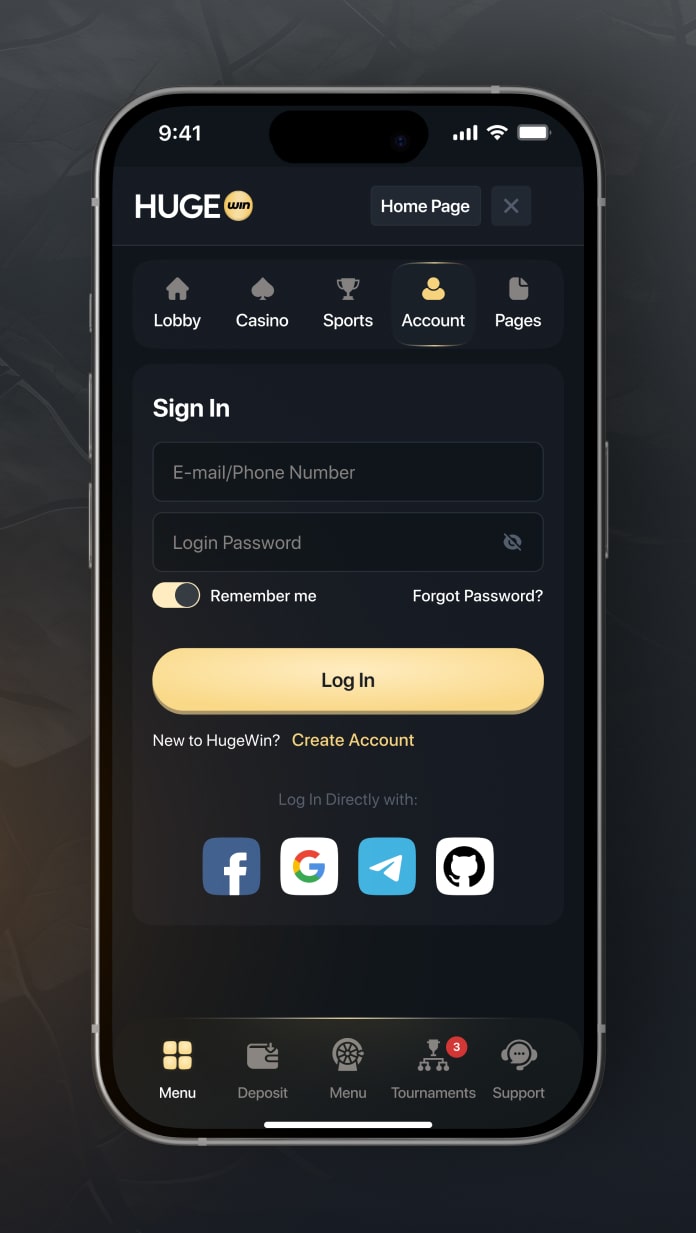
A sign-up form should ask only for what the market needs to open an account. HugeWin’s account form, for example, lists username, e-mail, password, password confirmation and an optional promo code: five fields in one step. Count yours and ask whether each one has to be there at this stage.

- Field count. Pass: the first step asks for the minimum to open an account, and the rest comes later. Fail: every personal detail is required before the player sees the lobby.
- Error messages. Pass: each error names the field and says how to fix it. Fail: the message says only “invalid”.
- Password rules before typing. Pass: the rules show before the player types. Fail: they appear only after a failed submit.
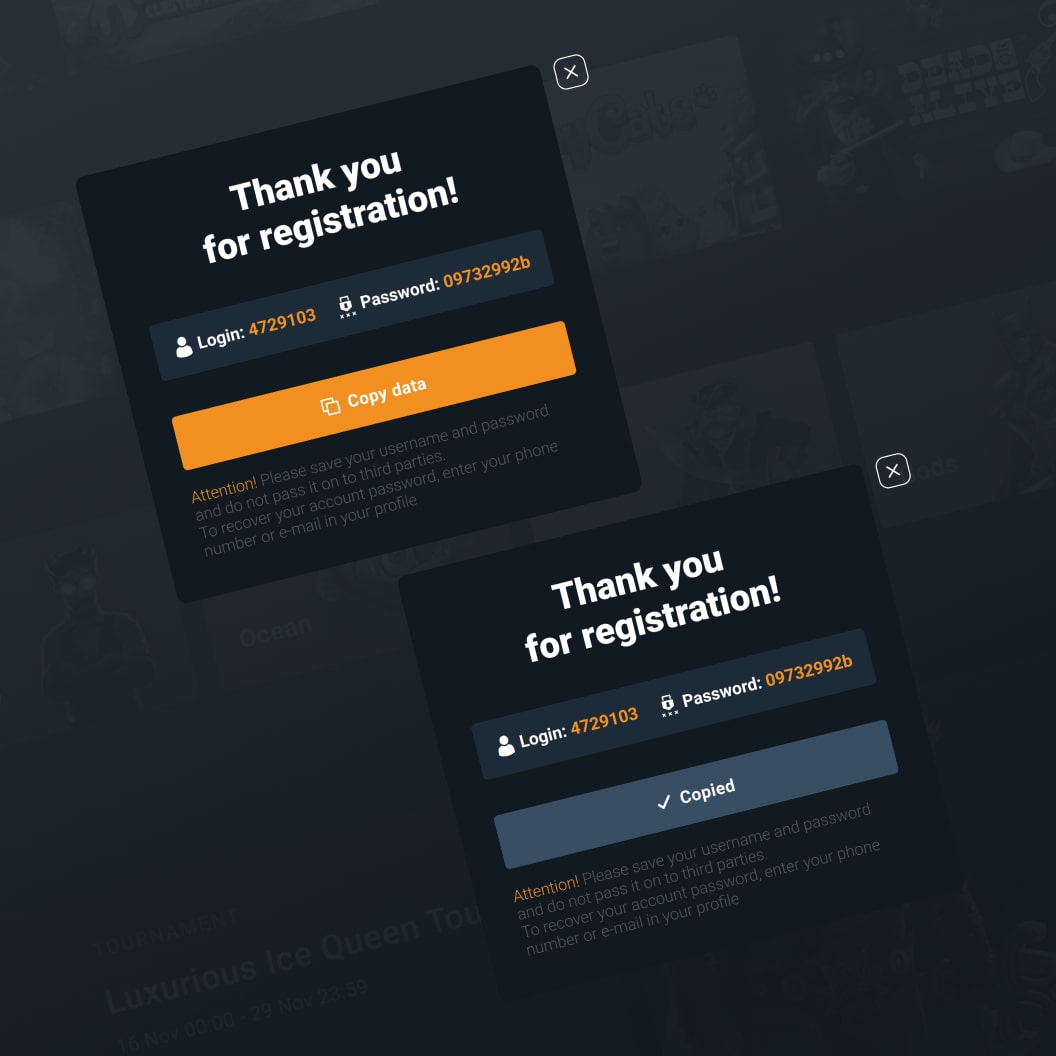
- A clear state after submit. Pass: the player sees the next step, with the login details or an e-mail confirmation. Fail: the button goes idle and nothing confirms the account.
Verification: no surprises
- Warned before blocked. Pass: the player learns which documents are needed and when, before any action is blocked. Fail: the block appears with no explanation.
- Phone uploads. Pass: the upload accepts a photo taken on the phone and shows which document is missing. Fail: it accepts only file formats most phones cannot produce.
- Pending status. Pass: the player sees the review status and what happens next. Fail: the account looks blocked.
- Rejection with a reason. Pass: the reason and the next step sit on the same screen, in plain language. Fail: the player has to contact support to learn why.
Cashier: the first deposit
- Methods for the market. Pass: the methods shown match the player’s country, each with its fee and time. Fail: methods appear without fees or times.
- Limits next to the amount. Pass: the minimum and maximum show beside the amount field. Fail: they appear only after an error.
- A failed payment. Pass: the screen says what failed and whether money was taken. Fail: a generic error with no next step.
- Withdrawal status. Pass: each withdrawal shows its stages and dates, such as requested, in review and sent. Fail: the player sees only a spinner.
Bonus: terms before the opt-in
- Terms before accepting. Pass: wagering, time limit and maximum bet show before the player opts in. Fail: they sit on a separate page only.
- Readable progress. Pass: wagering progress shows as a number the player can read. Fail: a single “active” label.
- Easy to decline. Pass: the player can decline or cancel the bonus without contacting support. Fail: cancelling needs a support request.
- Responsible tools near the balance. Pass: deposit limits and reality checks are one tap from the balance or the account menu. Fail: they live only in the footer.
How to run the checklist
Run it twice. First as a new player on a phone, since that is where a first deposit is decided. Then on a laptop, starting from the same landing page. Record pass or fail for each of the 20 checks with a screenshot of every failing screen, and fix the fails in the order players reach them.
Market rules change what a screen must show, so check licensing, verification and advertising requirements with your licence adviser before you change a flow. For a full review, see our iGaming marketing audit. For the design side of the fixes, see casino UX/UI design, and for the flows of a platform we designed, the TNTBet case. Our article on dark patterns in online casinos covers the patterns several of these checks are meant to catch.
Frequently asked questions
Which agencies do UX audits for online casinos to improve deposit conversion?
iDesy is one option. Its marketing audit walks every flow from landing to withdrawal on desktop and mobile, compares it with three or four direct competitors and ranks the fixes. When you compare agencies, check which flows they cover, which devices they test and what the output looks like.
What should a casino UX audit check?
Start with the landing page, sign-up, verification, the cashier and the bonus terms. Give each check a pass rule and a fail rule, and test on a phone as a new player.
How do you improve deposit conversion in an online casino?
Ask for fewer fields at sign-up, show limits and fees before the player enters an amount, make failed-payment states explicit and show bonus terms before opt-in. Change one step at a time and measure each change.
How long does a casino UX audit take?
It depends on how many flows and markets are in scope. Ask the agency for the list of flows and the form of the output before you agree on a timeline.
Can an operator run this checklist without an agency?
Yes. One person runs the flow as a new player on a phone and a second person checks the fail rules. Keep the results in a shared sheet, with a screenshot for every fail.
Does a checklist replace analytics?
No. Analytics shows where players leave. The checklist shows which screen causes it, by checking what the player sees at each step.