Casino lobby design: how to stop burying the games
Good casino lobby design gets a player from the first screen to a running game in a few taps. Keep at least one row of games above the fold, group categories by how people play, keep search and providers in sight, and make every game card show play, demo, provider and favourite. This is how iDesy designs lobbies.

Key takeaways
- The first screen should show at least one row of games, not only a banner carousel.
- Top-level categories should follow how players choose (slots, live, table, crash), not the platform's catalogue.
- Search in the header and a provider row serve players who already know what they want.
- Every game card should offer play, demo, provider name and a favourite control.
- On mobile, favourites and filters belong one tap from the top of the lobby.
What a casino lobby is for
Casino lobby design comes down to one job: get a player from the moment they land to a running game. Everything on the page either shortens that path or lengthens it. Promotions, jackpots, winners feeds and tournaments all belong in a lobby, but only as long as they do not stand between the player and the game they came for.
That sounds obvious, and most lobbies still fail it in the same ways: a banner carousel that fills the whole first screen, a category list copied from the platform’s admin panel, a search field hidden behind an icon, and game tiles that say nothing beyond the game’s name. The fixes below come from lobbies we designed for HugeWin, Gambit, TNTBet and Bitspinz.
Give the first screen to games, not banners
The first screen decides whether a player starts scrolling or starts playing. A full-width carousel of five rotating offers spends that screen on marketing and pushes every game below the fold.
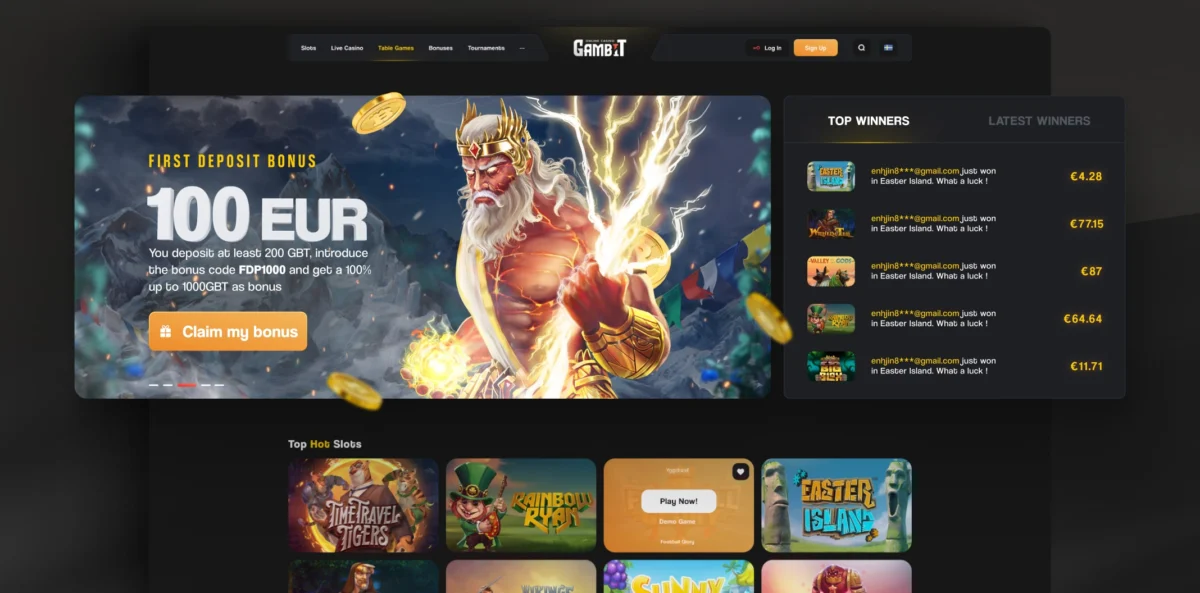
On Gambit the first-deposit banner shares its row with a Top Winners feed, and the first row of slots is already visible underneath. The offer is there, and so are the games.
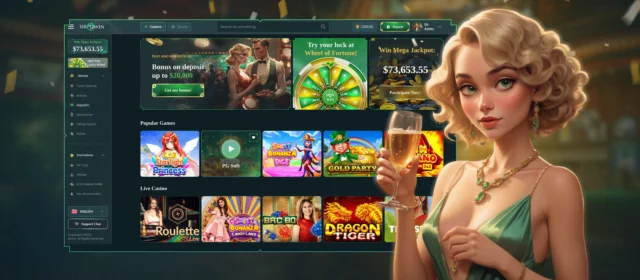
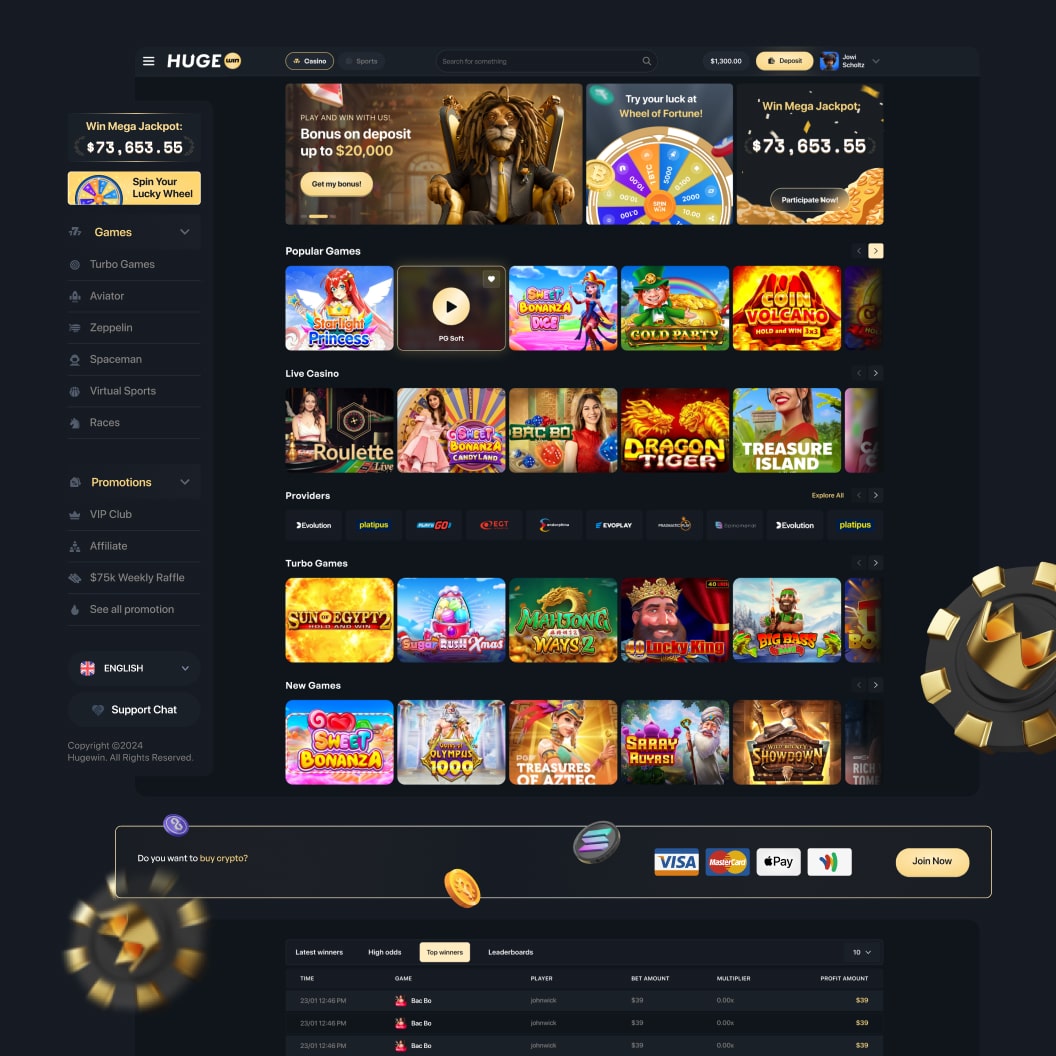
HugeWin solves the same problem differently: instead of one rotating hero, the top row holds three fixed tiles, each with its own action: a deposit bonus, the Wheel of Fortune and the Mega Jackpot. A player sees all three at once instead of waiting for a carousel to reach the one they care about.
A practical rule: if a player cannot see at least one row of games without scrolling, the banner is too big.
Build categories around how players choose
Players do not think in provider integrations. They think “a slot”, “something live”, “a quick crash game”, “what’s new”. The category structure should mirror that, not the platform’s internal catalogue.
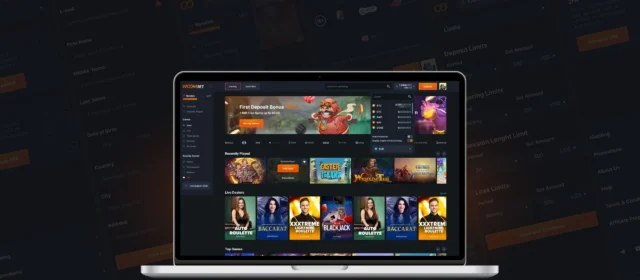
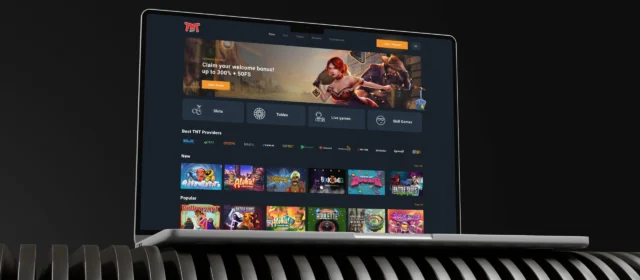
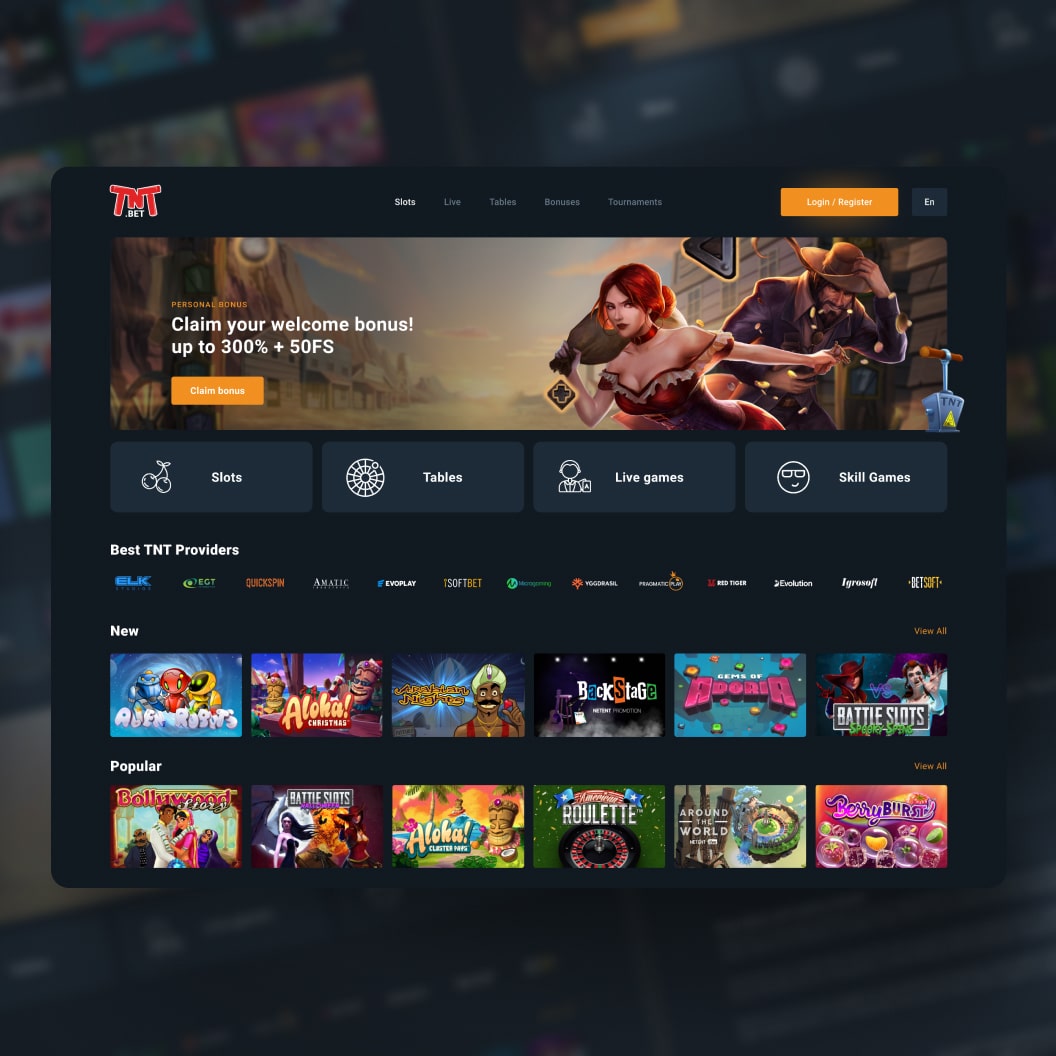
TNTBet’s lobby opens with four large tiles right under the banner: Slots, Tables, Live games and Skill Games. Four choices that cover the whole catalogue and can be read in one glance. Below them come Best Providers, New and Popular, each with a View All link.
HugeWin moves the categories into a left sidebar and gives crash and instant games their own entries (Turbo Games, Aviator, Zeppelin, Spaceman) next to Virtual Sports and Races. Those games have a different audience from slots, and burying them inside “Slots” would make them hard to find for exactly the players who want them.
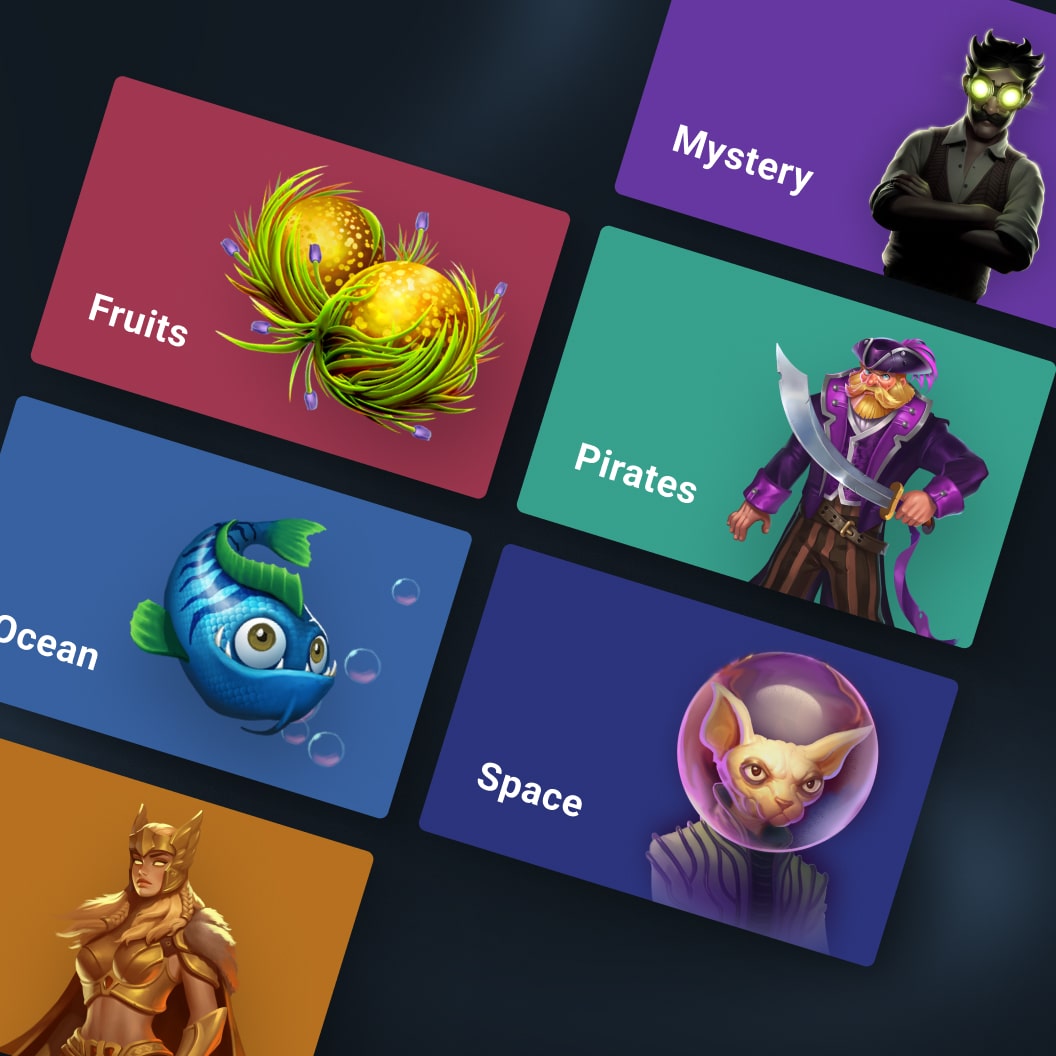
A category can also carry a mood. For TNTBet we replaced a flat provider list with illustrated game worlds: Fruits, Mystery, Pirates, Ocean, Space. A player who does not know which provider makes the slot they like still knows they like pirate slots.
Search and providers: two kinds of intent
Some players arrive knowing exactly what they want: a specific game, or anything from a provider they trust. For them, browsing rows is friction. They need search and provider filters, and both have to be visible without opening a menu.
On HugeWin the search field sits in the header on every screen, next to the Casino and Sports switch, so a player never has to return to the lobby to look something up. Providers get their own row of logos with an Explore All link, between Live Casino and Turbo Games.
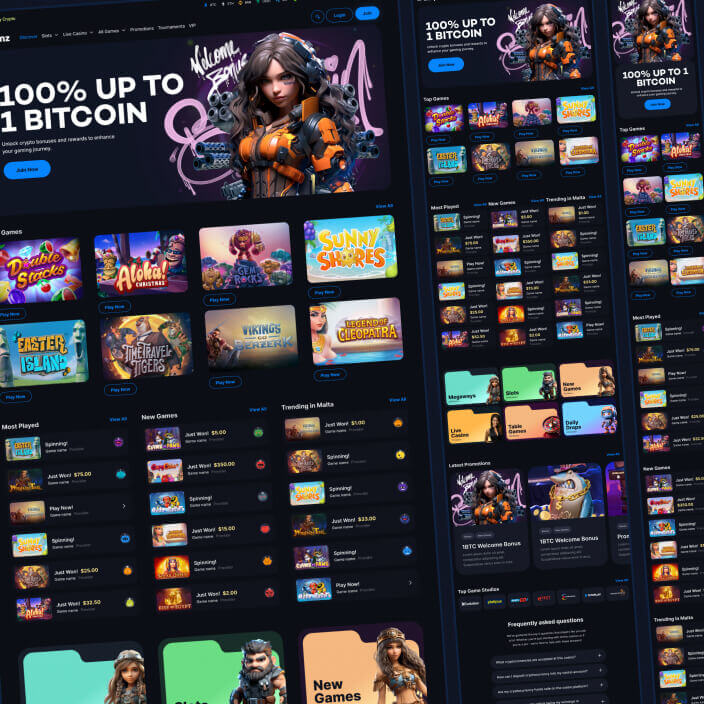
Provider rows work best as logos at a consistent size. Bitspinz uses the same pattern under the name Top Game Studios, placed further down the lobby after the game lists.
The game card does more work than any banner
Players look at dozens of game cards per session and at one banner. The card deserves more design attention than it usually gets.
A card that pulls its weight shows, on hover or tap:
- a clear play action, so the player does not guess where to click;
- a demo option, for players who want to try before they bet;
- the provider name, because many players choose by studio;
- a favourite control, so the game can be found again.
On Gambit the hover state carries all four: Play Now, Demo Game, the provider name and a heart in the corner. On HugeWin the hover state shows a play button, the provider and the favourite heart. All cards keep one aspect ratio, so the rows read as a grid instead of a collage.
Make the lobby feel alive and personal
A static grid of the same games for every player makes the casino feel empty. A few signals of activity and relevance change that without adding clutter.
Bitspinz shows Most Played, New Games and Trending lists with live states on each row (“Spinning!”, “Just Won!”, “Play Now!”), and the trending list is labelled by country: Trending in Malta. The platform also recommends games to each player. Category tiles for Megaways, Slots, New Games, Live Casino, Table Games and Daily Drops sit below these lists.
HugeWin keeps its winners table (Latest Winners, High Odds, Top Winners, Leaderboards) below the game rows. It adds proof that people are winning, but it does not take the place of a game row.
On mobile, the lobby is a list of shortcuts
On a phone there is no sidebar and very little first screen. The lobby has to work as a set of shortcuts the thumb can reach.
In the Bitspinz mobile lobby the first controls under the header are filter chips: All Slots and My Favourites, with a filter button beside them. A returning player gets to their saved games in one tap, without scrolling past a banner.
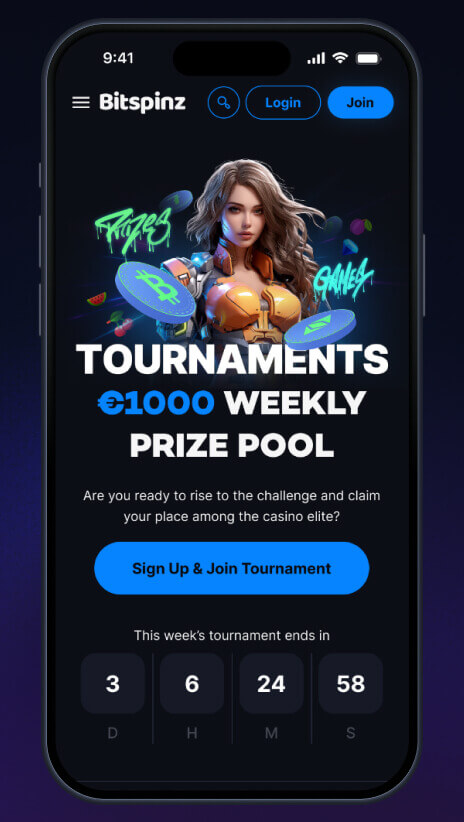
Design the mobile lobby first and expand it for desktop, not the other way round. A desktop lobby squeezed onto a phone almost always ends up with a banner that fills the screen and categories hidden in a hamburger menu.
A lobby checklist
- At least one row of games is visible on the first screen, on desktop and on mobile.
- Promotions are fixed tiles or a single banner, not a full-screen carousel.
- Top-level categories follow how players choose: slots, live, table, crash and instant, new.
- Search is visible in the header, not hidden behind an icon on desktop.
- Providers can be browsed and filtered from the lobby itself.
- Every game card shows play, demo, provider and favourite.
- Returning players reach their favourites and recently played games in one tap.
- Activity signals (winners, trending, live states) support the games instead of replacing them.
How iDesy approaches casino lobby design
We start from wireframes of every lobby state (first visit, returning player, empty search, a category with three games, a category with three hundred) before any visual work. The visual system goes on top of a structure that already works, and the cards, rows and filters are handed over as components, so the operator can add a category or a promotion without a redesign.
If your lobby buries the games, look at our casino UX/UI design service, or see the full lobbies in the HugeWin, Gambit, TNTBet and Bitspinz case studies.
Frequently asked questions
What should be on the first screen of a casino lobby?
At least one row of games, a visible search field and one promotion. If the banner or carousel pushes every game below the fold, the player has to scroll before they can play, and many will not.
How should casino game categories be organised?
By how players choose: slots, live casino, table games, crash and instant games, new releases. Categories copied from the platform's admin panel or a long provider list make players work out the structure themselves.
Should a casino lobby show game providers?
Yes. Many players pick games by studio, so a row of provider logos and a provider filter belong in the lobby itself, not only on a separate page.
Is a banner carousel a good idea in a casino lobby?
Usually not as the whole first screen. Fixed promo tiles, or one banner sharing the row with a winners feed or games, keep offers visible without hiding the games.
What should a casino game card show?
A clear play action, a demo option, the provider name and a favourite control, all in one consistent card size so rows read as a grid.
How is a mobile casino lobby different from desktop?
There is no sidebar and little first screen, so the lobby becomes a set of shortcuts: filter chips such as All Slots and My Favourites at the top, categories within thumb reach, and banners that do not fill the screen.
How do you know if a casino lobby works?
Measure the time from landing to the first game launch, how often search and filters are used, and which categories get clicked. If players scroll past banners and search for games that are already on the page, the lobby is burying them.